Short answer: Free music apps can keep you learning between lessons. The strongest picks are Musicca (theory and note reading), Perfect Ear (ear training, rhythm, solfège, theory, and note reading), and Music Theory Companion (chords, scales, the circle of fifths, keyboard, fretboard, and a pitch detector). EarMaster is also worth a look for more structured ear and rhythm work.
Use one or two apps consistently — not ten — and keep sessions to 5–15 minutes. Apps don't replace lessons; they make the lessons you already pay for go further.

Why Apps Between Lessons Matter
A weekly lesson is important. But most real growth happens between lessons. That's where habits are built. That's where note reading gets quicker, rhythm gets steadier, and your ear starts to improve.
Many students think they need long practice blocks. In truth, short sessions often work better. Five to ten focused minutes can do a lot — if you repeat them often. That's why the best free music learning apps work so well between lessons. They fit into normal days.
Think about a common problem: a piano student learns a new rhythm on Tuesday. By Friday, it feels fuzzy. By the next lesson, the student has to relearn it. A simple rhythm app or ear training app stops that slide. It keeps the idea active.
Free apps also lower the cost of practice support. That matters for families, adult beginners, and students who already pay for lessons, books, strings, reeds, or exam fees.
What these apps can help you practice
- Music theory
- Note reading
- Rhythm
- Ear training
- Sight singing
- Scale review
- Chord recognition
- Daily practice habits
The trick is simple: choose apps that focus on a specific skill and make it easy to practice every day.
What Makes a Good Free Music Learning App?
Not every free app is worth your time. Some look good at first, but the free version is too thin. Others are busy, confusing, or full of ads. A good app should feel simple and useful from day one.
Easy to use
You should be able to open the app and start practicing in seconds. If it takes too long to learn, most people quit before the real work starts.
Real value in the free version
A strong free app gives you enough practice to actually improve. It shouldn't hide every useful tool behind a paywall.
Supports short sessions
The best apps work well in 5, 10, or 15 minutes — because that's how most students actually practice.
Matches your lesson goals
If your teacher wants you to improve rhythm, a chord dictionary won't fix the problem. Match the app to the skill that actually needs work.
Visible progress
Scores, streaks, levels, and progress checks aren't the point — but they keep many students motivated enough to come back tomorrow.
Types of Free Music Learning Apps
Students often search for "the best free music app" hoping one tool will do everything. Sometimes one app covers a lot. But it helps to know the main categories.

An app on the music stand turns five spare minutes into real practice — rhythm, sight-reading, or ear work.
Music theory apps
Focus on notes, intervals, scales, chords, key signatures, and basic harmony.
Ear training apps
Help with hearing intervals, recognizing chord quality, melody memory, pitch matching, and tonal awareness.
Rhythm training apps
Train beat, subdivision, counting, syncopation, and clap-back patterns.
Note reading and sight-reading apps
Improve staff reading, clef recognition, reading speed, and visual recall.
Practice support apps
Tuners, metronomes, chord charts, fretboard tools, and keyboard reference tools.
Pick one or two apps that match your current lesson goal. Use them often. Don't download ten apps and hope for the best.
Quick Comparison Table
| App | Best For | Skill Range |
|---|---|---|
| Musicca | Theory, note reading, basic rhythm | Beginner to intermediate |
| Perfect Ear | Ear training, rhythm, solfège, theory, note reading | Beginner to advanced |
| Music Theory Companion | Chords, scales, circle of fifths, keyboard, fretboard | Intermediate |
| EarMaster | Structured ear training, sight-singing, rhythm | Intermediate to advanced |
Best Free Music Theory Apps to Use Between Lessons
Musicca
Best for BeginnersMusicca is one of the clearest picks for students who want a simple way to practice theory between lessons. It helps users read, write, and play music through short exercises — and it's free. That's a strong match for students who need daily review without extra cost.
It feels direct, works in any browser, and supports both home use and classroom use. Students can learn at their own pace, which makes it a great fit for younger learners and adult beginners.
Best for:
- Beginners
- Kids and teens
- Adults who want clean theory practice
- Students who prefer browser-based drills
Why it works between lessons: Easy to open, good for short sessions, simple skill focus, no heavy setup.
Music Theory Companion
Best Theory ToolboxMusic Theory Companion is a wider toolbox. Chords, scales, the circle of fifths, an on-screen keyboard, a fretboard, and a pitch detector — all in one place. It's useful for guitar players, piano students, songwriters, and exam students.
It may feel bigger than a true beginner app, but students can keep using it as they advance.
Best for:
- Intermediate students
- Guitar and piano learners
- Songwriters
- Anyone who wants a real theory reference at their fingertips
Why it works between lessons: Quick chord or scale checks, a strong link between theory and playing, useful for planning practice.
Best Free Ear Training Apps to Use Between Lessons

Ear training on a guitar — even five minutes a day on interval recognition pays off in ensemble playing and solo work.
Perfect Ear
Best All-AroundPerfect Ear is one of the strongest picks in this category. It offers ear training, rhythm training, solfège, music theory, and note reading lessons — which makes it more than just an ear app. It's closer to a full musicianship trainer.
It's beginner-friendly but has enough range for students who want to keep growing. If you want one app that covers many bases, this is a strong choice.
Best for:
- Students who want one app for several skills
- Singers
- Piano students
- Guitar students
- Learners who want short daily drills
Why it works between lessons: Covers several key skills, perfect for five-minute blocks, clear skill-based exercises.
EarMaster
Best for Serious Aural WorkEarMaster is often named in music education for ear training, sight-singing, and rhythm work. It offers thousands of exercises across all levels — intervals, chords, scales, dictation, sight-singing, and rhythm.
What sets it apart: students can sing or clap their answers and get quick feedback. Active practice works better than passive guessing, and EarMaster leans into that.
It's a strong option for serious students who want to improve aural skills or prepare for exams. Just check the current pricing and access model before committing.
Best for:
- Students who want a more structured path
- Singers
- Exam students
- Learners focused on aural skills
Why it works between lessons: Strong skill range, feedback-based practice, good for steady ear and rhythm work.
Best App by Goal
If you don't want to read the whole guide, here's the shortcut. Pick the goal that matches your weakest skill — then pick the matching app.
| If You Need... | Choose |
|---|---|
| Better note reading | Musicca (clean and direct) or Perfect Ear |
| Better rhythm | Perfect Ear first; EarMaster for active feedback |
| Better ear training | Perfect Ear or EarMaster |
| Chord & scale knowledge | Music Theory Companion |
| The simplest starting point | Musicca — easy to use, free, beginner-friendly |
Best App by Student Type
For kids
Kids usually need clear screens, short tasks, fast feedback, and fun repetition. Musicca works well here because it's simple and easy to repeat. Perfect Ear can also work for older kids who can follow more structured tasks.
For teens in private lessons
Teens often need tools that support school band, choir, piano, or guitar lessons — around homework and sports. A mix of Musicca for theory and Perfect Ear for rhythm or ear work is practical and realistic.
For adult beginners
Adult learners want progress without pressure. They want clear steps and don't want childish design. Musicca and Music Theory Companion are both strong picks — depending on whether the goal is basic theory or a wider reference toolbox.
For singers
Singers should focus on ear training, pitch matching, sight-singing, and rhythm. Perfect Ear and EarMaster both make sense because they support ear work and singing-based responses.
For guitar players
Guitar players often need chord tools, scale review, ear training, and rhythm practice. Music Theory Companion covers the chord and scale side; Perfect Ear covers ear and rhythm.
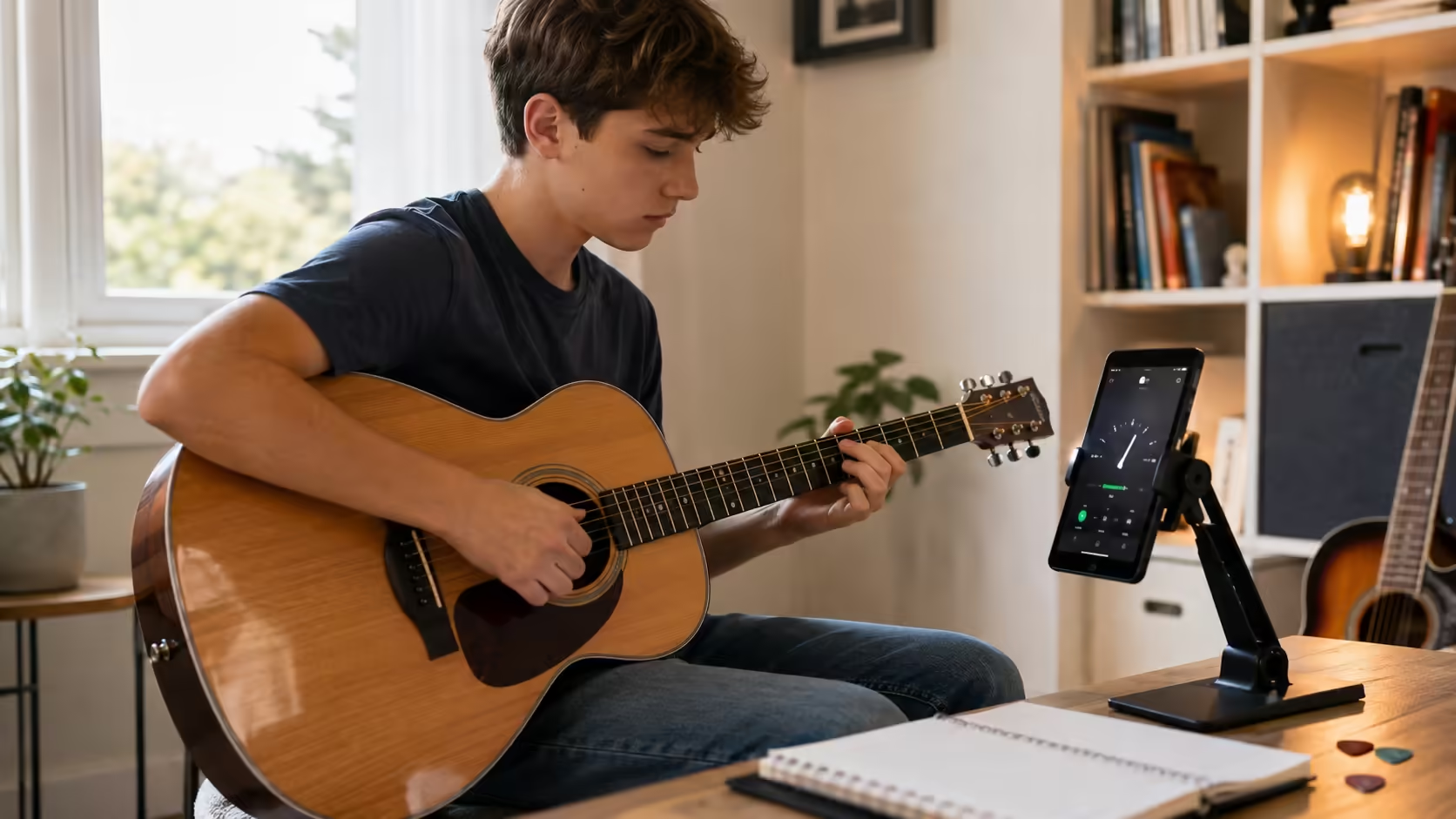
Tuning, chord review, scale practice — guitar students get especially good mileage from app-based drills.
For piano students
Piano students usually need note reading, rhythm, theory, and ear work — which means they benefit from nearly every app in this guide. Musicca is a great starting point. Perfect Ear adds musicianship. Music Theory Companion adds keyboard-centered reference and chord work.
A Simple Weekly Plan for Using Free Music Apps
You don't need a huge system. You need a small one you can actually repeat.
- 2 minutes — note reading
- 2 minutes — rhythm
- 1 minute — interval review
- 3 minutes — note reading
- 3 minutes — rhythm
- 2 minutes — ear training
- 2 minutes — scale or chord review
- 5 minutes — theory
- 5 minutes — ear or rhythm
- 5 minutes — instrument practice with a metronome
A sample weekly chart
| Day | Focus |
|---|---|
| Monday | Note reading and clap rhythm |
| Tuesday | Intervals and scale review |
| Wednesday | Chords and metronome work |
| Thursday | Rhythm drills and sight-reading |
| Friday | Ear training and lesson review |
| Saturday | Play for fun, check weak spots |
| Sunday | Light review or rest |
This kind of chart works because it's clear. It also keeps practice fresh — you're less likely to get bored when the focus rotates.
Common Mistakes to Avoid
Even the best free music apps won't help much if you use them the wrong way. Here's what to watch out for.
Mistake 1: Replacing real playing with app time
Apps help. They don't replace your instrument, your voice, or your teacher. Use them to support practice — not to avoid it.
Mistake 2: Using too many apps
Too many choices almost always lead to no real routine. Start small. One theory app, one ear or rhythm app — that's usually enough.
Mistake 3: Chasing streaks and ignoring weak spots
A streak feels good. But progress matters more. If rhythm is your weak point, spend time there — even if it breaks your perfect streak of note-reading drills.
Mistake 4: Picking an app that doesn't fit your level
A very advanced app can feel frustrating for a beginner. A very basic app can feel stale for a stronger student. Match the level.
Mistake 5: Ignoring feedback from your teacher
The best app is still the one that supports your real lesson goals. Ask your teacher what skill matters most right now — then pick the app for that.
Can Free Music Apps Replace Music Lessons?
Short answer: no. But they can make lessons work much better.
A teacher hears tone problems, fixes hand shape, corrects posture, and answers questions in real time. An app can't do any of that. What an app can do is help you repeat core skills often — note reading, rhythm counting, interval hearing, theory review. That repetition is what locks the lesson in.
So the best setup is simple:
- Lessons give direction — what to work on and how to fix it
- Apps give repetition — the daily reps that build the skill
- Practice turns both into progress — instrument in hand, real playing
That's why free music apps are useful. They fill the gap between teaching and doing. They don't replace the teacher — they make the teacher's work stick.
Free apps are a great way to drill skills between lessons — but they don't replace a live teacher who can hear your tone, fix your hand shape, and shape your musical phrasing. K&M Music School offers a 100% free trial lesson so you can see the difference in person.
Book Your Free Trial Lesson10 instruments • All ages • No credit card required
Frequently Asked Questions
What are the best free music learning apps to use between lessons?
A strong shortlist is Musicca for theory and note reading, Perfect Ear for ear training, rhythm, solfège, theory, and note reading, and Music Theory Companion for chords, scales, and applied theory. EarMaster is also a good choice for structured ear training and rhythm practice — check its current pricing before committing.
Are free music learning apps good for beginners?
Yes, many are. The best ones keep tasks small and clear. They are especially helpful for note reading, rhythm, and basic theory — exactly the skills beginners need to drill between lessons.
Which free music learning apps help with music theory?
Musicca and Music Theory Companion are strong options. Musicca is very simple and beginner-friendly. Music Theory Companion gives you more theory tools in one place — chords, scales, circle of fifths, keyboard, fretboard, and a pitch detector.
Which free music learning apps help with ear training?
Perfect Ear and EarMaster are the best picks for ear training. Perfect Ear is broad and flexible — interval recognition, chord quality, melody memory, and pitch matching. EarMaster offers a more structured aural-skills path with sing-and-clap feedback.
How long should I use music apps each day?
For most students, 5 to 15 minutes is enough. Short, steady daily practice with an app beats one long session once a week. The point is to keep core skills fresh — note reading, rhythm, ear training — between lessons.
Can free music learning apps replace music lessons?
No. A teacher hears tone problems, fixes hand shape, corrects posture, and answers real-time questions — apps can't do that. But apps are excellent at giving you the repetition lessons can't. Lessons give direction, apps give repetition, and practice turns both into progress.
Is one app enough, or do I need several?
For most students, one or two apps is the right answer. Pick one theory app and one ear or rhythm app, then use them consistently. Downloading 10 apps and hoping for the best almost always leads to no real routine.
Which app is best for kids?
Musicca is a strong option for kids because it is simple, clear, and easy to repeat. Older kids who can follow more structured tasks can also benefit from Perfect Ear.